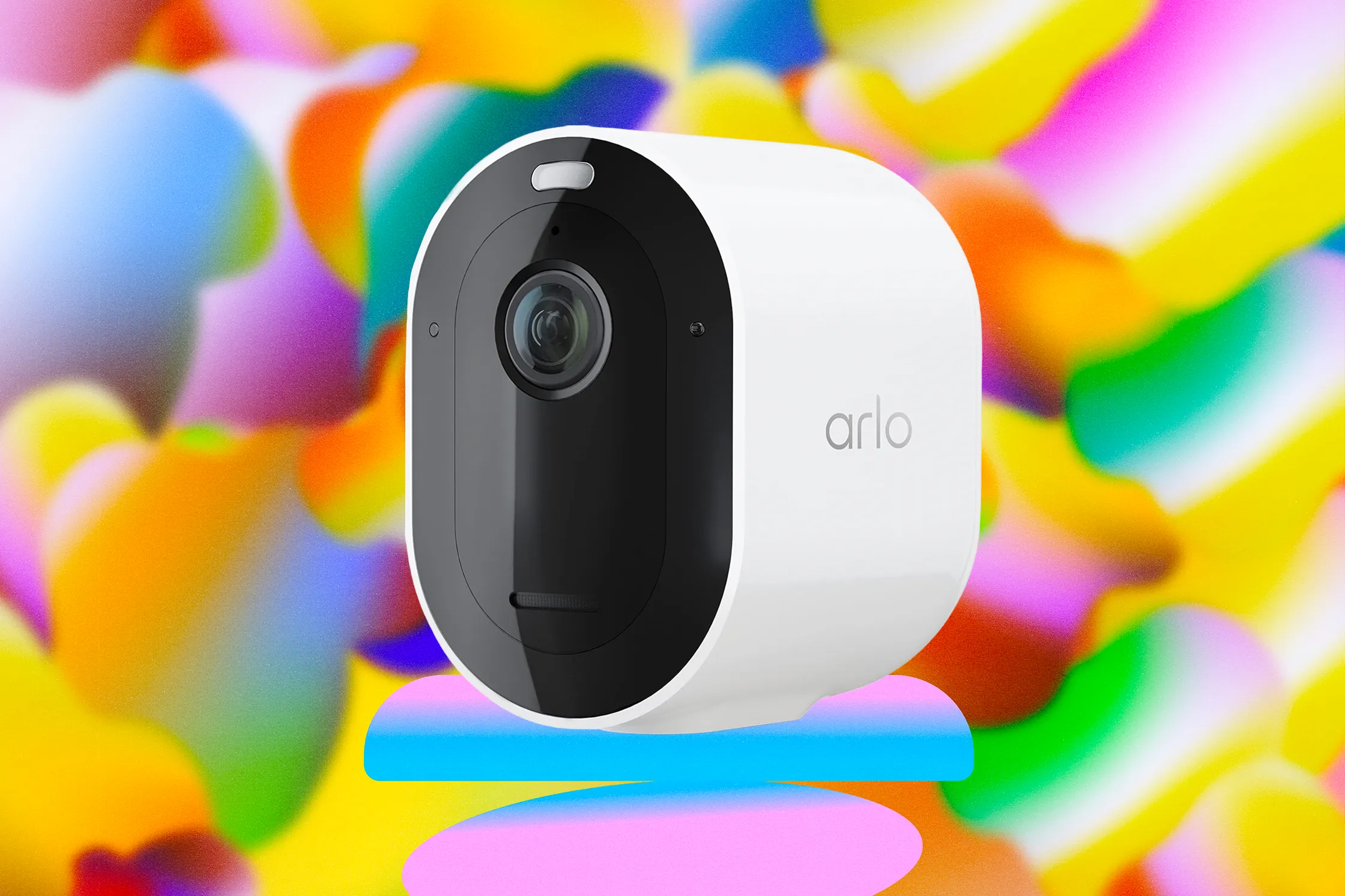
A home camera deal only matters if it solves a real problem at your front door, driveway, side gate, or rental porch. The Arlo Pro 5S Security Camera System is getting attention because the price drop puts a higher-end camera setup closer to the range many U.S. homeowners usually reserve for basic gear. That changes the buying math. You are not only comparing sticker prices now; you are asking whether a 2K security camera with better alerts, a wide view, color night vision, and flexible placement can replace the patchwork setup you may already have. For readers tracking product launches, home safety deals, and consumer tech trends through trusted product news coverage, this is the type of discount that deserves a slower look. A cheaper camera can still cost more later through subscriptions, weak placement, or poor Wi-Fi planning. A good discount should make the whole setup smarter, not tempt you into buying more cameras than your home needs.
Why the Price Drop Feels Bigger Than a Normal Camera Sale
The reason this deal stands out is not only the discount. It lands in a market where homeowners have grown tired of paying premium prices for cameras that still need monthly plans, extra mounts, solar panels, and trial-and-error setup. A lower retail price gives buyers more room to think through the full system instead of blowing the budget on the first box.
The discount changes who should consider it
For years, Arlo sat in that awkward middle space. It was not the cheapest brand on the shelf, but it was also not the full custom system a security installer would sell. That made sense for people who wanted polished app controls without running cables through siding or attic spaces.
Now the math is less stiff. A suburban homeowner in Ohio who only wants to watch the garage, front steps, and backyard gate can think about a three-camera layout without feeling trapped into a luxury purchase. A renter in Austin may still buy one wireless security camera for the entryway, then take it along when the lease ends.
That portability matters more than people admit. A wired system can feel permanent in the wrong way. A battery camera can move when your life moves.
The non-obvious part is that a sale can make restraint harder. When a camera system gets cheaper, buyers often over-cover the property. They point one camera at the mailbox, one at the porch, one at the side yard, and one at a street that never needed watching. Better coverage does not always mean more cameras. It often means better angles.
The lowest-price claim still needs context
Retail pricing moves fast, especially around holiday events, warehouse clearances, and bundle offers. A single-camera discount can look better than a kit deal until you add the cost of mounts, backup batteries, or a plan that unlocks the features people expect from smart cameras. WIRED reported a Black Friday deal that put the 5S at $85, down from $180, calling it a low price for that camera at the time.
That is useful context, but it should not be the only reason you buy. A camera that sits in a drawer is still wasted money at any price. The better question is where this system removes friction from your daily life.
Think about a family in Phoenix with a side gate used by landscapers, delivery drivers, and kids coming home from school. The value is not only seeing motion. It is knowing which motion matters. A camera that catches every palm shadow will annoy you by lunch. One that helps sort people, vehicles, animals, and packages feels different.
A sale is the door opener. Setup quality decides whether you keep using it.
Arlo Pro 5S Security Camera System Features That Matter at Home
Spec sheets can make every camera sound alike. Most promise sharp video, night vision, alerts, and weather resistance. The difference shows up in ordinary moments: a license plate at the edge of the driveway, a package half-hidden behind a planter, or a face under a porch light at 9 p.m.
2K video helps most when the angle is right
A 2K security camera gives you more detail than standard 1080p, but resolution cannot rescue a bad view. If the camera is mounted too high, pointed across a bright street, or aimed at a blank walkway, the extra pixels do less than expected. The official Arlo spec sheet lists up to 2K resolution, HDR, 12x digital zoom, and a 160-degree diagonal field of view for the model.
That wide view is useful on American homes with broad driveways, open lawns, or wraparound porch space. One camera can catch the front walk and part of the driveway if you mount it with care. For a townhouse, that same width may capture too much sidewalk traffic and create alert noise.
Here is the small trick many buyers miss: aim for the action path, not the prettiest view. A camera looking straight at the front door may give you a neat image. A camera angled across the porch may catch a face, package, hand movement, and exit path in one clip. The second angle is less pretty. It is often more useful.
Night performance is about light, not magic
Color night vision sounds like a simple upgrade, but it depends on light. A built-in spotlight can help identify clothing, vehicle color, or a person near the porch. It can also bounce off white siding, glass storm doors, or glossy house numbers and wash out the scene.
That is why the best placement may be slightly off-center. Mounting the camera six inches away from a reflective trim line can improve footage more than changing a setting in the app. Small physical choices beat menu hunting.
For a family in New Jersey with a driveway beside a white garage door, the spotlight may make a person clear but flatten details near the door. Moving the camera toward the corner can cut glare and keep the driveway in frame. That kind of adjustment matters when you want useful clips, not dramatic ones.
The built-in siren also deserves sober thinking. It can scare off a porch thief, but it may also annoy neighbors if you trigger it too fast. The better use is selective. Pair it with clear motion zones and alerts you trust. Then the siren becomes a tool, not a noise machine.
The Subscription Question Buyers Should Ask Before Checkout
This is where many camera deals lose their shine. Hardware prices fall, then software plans carry the real cost. That does not make the deal bad. It means the purchase has two prices: the retail price today and the ownership cost over the next year.
Free features may be enough for some homes
Some buyers only need live view and basic alerts. If you want to check whether the dog walker arrived, see who is at the door, or confirm the garage was closed, a lighter setup may work. You may not need every smart home security feature on day one.
Arlo says U.S. subscriptions can add features such as video history, activity zones, advanced detection, emergency response, professional monitoring, and 24/7 recording on certain plan levels. The company also says users can keep live streaming and two-way audio after the trial without buying a service plan.
That last point matters. A person in a small apartment does not always need cloud history. A parent watching the front porch during school pickup may care more about instant access than saved clips.
Still, do not pretend the plan is irrelevant. If your reason for buying is package detection, saved video, richer alerts, or easier review after an incident, the monthly cost belongs in the same budget as the camera. A low entry price can be honest and still incomplete.
Smart alerts are worth paying for only when they reduce noise
People often think smart alerts are about catching more. The better value is catching less. Fewer useless pings make you pay attention when the right one arrives.
A driveway camera that flags every passing car will train you to ignore it. A system that can separate a parked delivery van from a person walking up the path has a better chance of staying useful. That is the quiet benefit of a smarter camera setup. It protects your attention.
The counterintuitive move is to start with fewer alerts, then add more. Many people turn on every detection option because they paid for it. Person, vehicle, package, animal, audio, activity zones, all at once. Then the phone buzzes all evening, and they blame the camera.
Start with one pain point. Porch packages. Side gate movement. Cars entering the driveway. Build from there. A camera system should earn permission to notify you.
For internal planning, it also helps to map your setup before buying extra gear. A simple article on home security camera placement can become more useful than another accessory in the cart. So can a guide to smart home security setup mistakes, especially if you are mixing cameras, doorbells, lights, and locks.
Privacy, Wi-Fi, and Setup Details That Decide the Real Value
Once the price looks right and the features make sense, the last question is trust. A camera watches your home, but it also creates private data. That makes setup discipline part of the product. You are not only installing a gadget. You are choosing what your house records and where that footage goes.
Strong camera security starts before mounting
The Federal Trade Commission advises buyers to look for home security cameras with built-in protections such as encryption for account details, livestreams, and stored video. It also recommends taking steps to secure camera accounts and related devices. The FTC’s home security camera guidance is a useful starting point for any connected camera purchase.
That advice sounds plain, but plain is where many people fail. They reuse passwords. They skip two-factor sign-in. They share access with a contractor, roommate, or relative and forget to remove it later.
A camera outside the house can still reveal private routines. It can show when your kids leave for school, when your driveway is empty, and when the house is dark. That does not mean you should avoid smart cameras. It means the account deserves the same care as your banking app.
Here is a practical example. If you install a wireless security camera at a lake house in Michigan, you may share access with a sibling who checks on the property. That makes sense in winter. By spring, when guests start using the home, shared access should be reviewed. Security that never gets cleaned up becomes clutter with a password.
Wi-Fi placement can beat camera specs
A wireless camera is only as good as its connection. Dual-band Wi-Fi support helps because the camera can work with 2.4 GHz and 5 GHz networks, but walls, brick, metal doors, routers in basements, and crowded neighborhoods still affect performance. The Arlo spec sheet notes support for both bands and says range can vary based on obstructions, materials, and interference.
This is where many buyers misread the sale. They think a better camera solves a weak network. It does not. A stronger camera on a weak signal can still miss clips, load slowly, or burn battery faster while struggling to stay connected.
Before mounting anything, hold your phone near the planned spot and test Wi-Fi strength. Then test at night, when streaming, smart TVs, game consoles, and neighbors’ networks may create more traffic. The boring test saves ladder time.
Battery life also lives in the real world. Cold weather, high-traffic areas, max video quality, frequent live viewing, and spotlight use all drain power faster. A camera over a busy sidewalk in Chicago will work harder than one watching a quiet side gate in rural Tennessee. That does not make the product weak. It means battery claims need your home’s context.
Conclusion
A deep discount can make a premium home camera feel easy to buy, but the smart move is still patient. Look past the sale banner and picture the exact job each camera will do. The Arlo Pro 5S Security Camera System makes the most sense for buyers who want higher-detail video, flexible placement, smart alerts, and cleaner coverage without hiring an installer. It makes less sense if your Wi-Fi is weak, your budget ignores subscription costs, or you plan to cover every angle without thinking through privacy. The best setup is usually smaller than the one people first imagine. One clear porch angle, one driveway view, one side gate camera. That may protect more than a crowded system that sends too many alerts. Buy the deal only if it fits the house you live in, not the fantasy version of a smart home. Then install it with care, lock down the account, and let the system stay quiet until it has something worth telling you.
Frequently Asked Questions
How much should I pay for a discounted 2K home camera?
A strong sale should be judged against the full cost, not the shelf price alone. Add any subscription plan, mounts, spare batteries, solar accessories, and storage needs. A lower camera price is useful only when the yearly ownership cost still fits your budget.
Is a 2K security camera better than 1080p for a front porch?
Yes, but placement matters more than resolution. A 2K camera can capture more detail around faces, packages, and vehicles, but poor lighting or a bad angle can waste that advantage. Mount it where people naturally move through the frame.
Do wireless security cameras work well for renters?
They can be a good fit because they are easier to move than wired systems. Renters should check lease rules before drilling, use removable mounting options where possible, and avoid pointing cameras into neighbors’ windows, patios, or shared private areas.
What is the best place to mount an outdoor camera?
The best spot is usually above reach, angled across the path of movement, and protected from glare. Front doors, driveways, side gates, and back entrances are common choices. Test the live view before drilling because a few inches can change the clip quality.
Does a smart camera need a monthly plan?
Not always. Some users only need live viewing, two-way audio, and basic alerts. A paid plan becomes more useful when you want saved clips, richer detection, package alerts, activity zones, or easier review after something happens.
How can I reduce false alerts from a home security camera?
Start by narrowing the activity zone, lowering sensitivity, and aiming away from streets, trees, flags, and reflective surfaces. Turn on only the alerts you need first. Add more detection types after the camera proves it can stay useful without buzzing all day.
Are battery security cameras reliable in cold weather?
They can be reliable, but cold weather can shorten battery life. Frequent motion, live streaming, spotlight use, and high video quality also drain power faster. In colder U.S. regions, plan for more charging or consider a solar panel where sunlight is steady.
What should I do before installing a connected camera?
Create a strong password, turn on two-factor sign-in, update the app, review sharing permissions, and choose privacy-safe angles. Avoid bedrooms, bathrooms, and neighbor-facing views. A camera should protect your home without recording more private life than needed.